 : a 3D video game for your AI agents
Turn your job into a video game.
Welcome to the world of Bot Crossing! Create, interact, and direct AI agents (or bots!) to do anything. Visit a variety of creative environments, and guide the work of as many fully autonomous agents as you'd like. Assign projects, goals, and build real world value simply by playing a video game.
What is Bot Crossing?
Bot Crossing turns your work, ideas and creativity into your own world of bots. Create as many as you need, set them to work across the real tools and apps you already use, and keep track of all of them in a completely immersive video game environment, filled with real, interactive bots.
An immersive video game
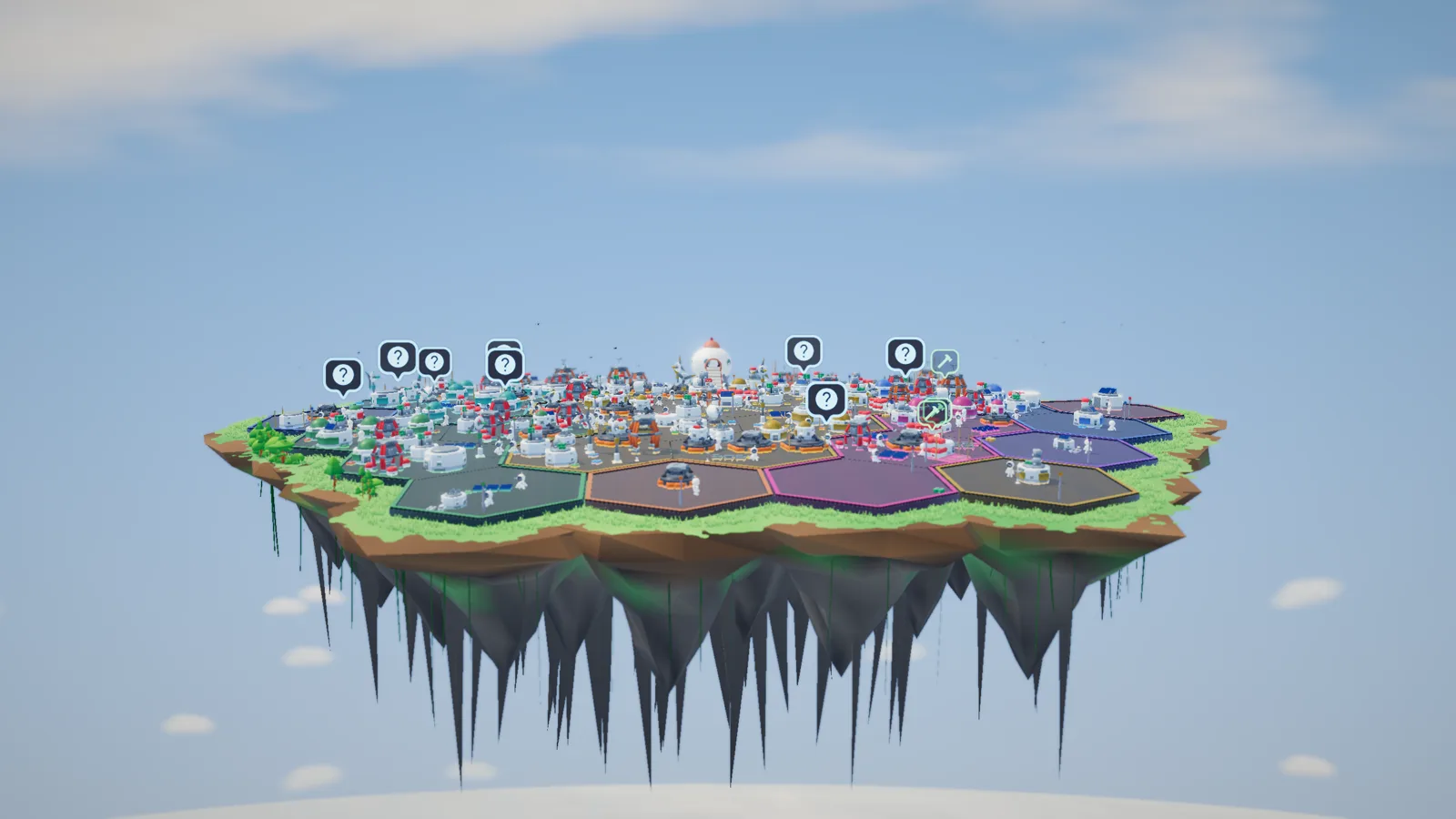
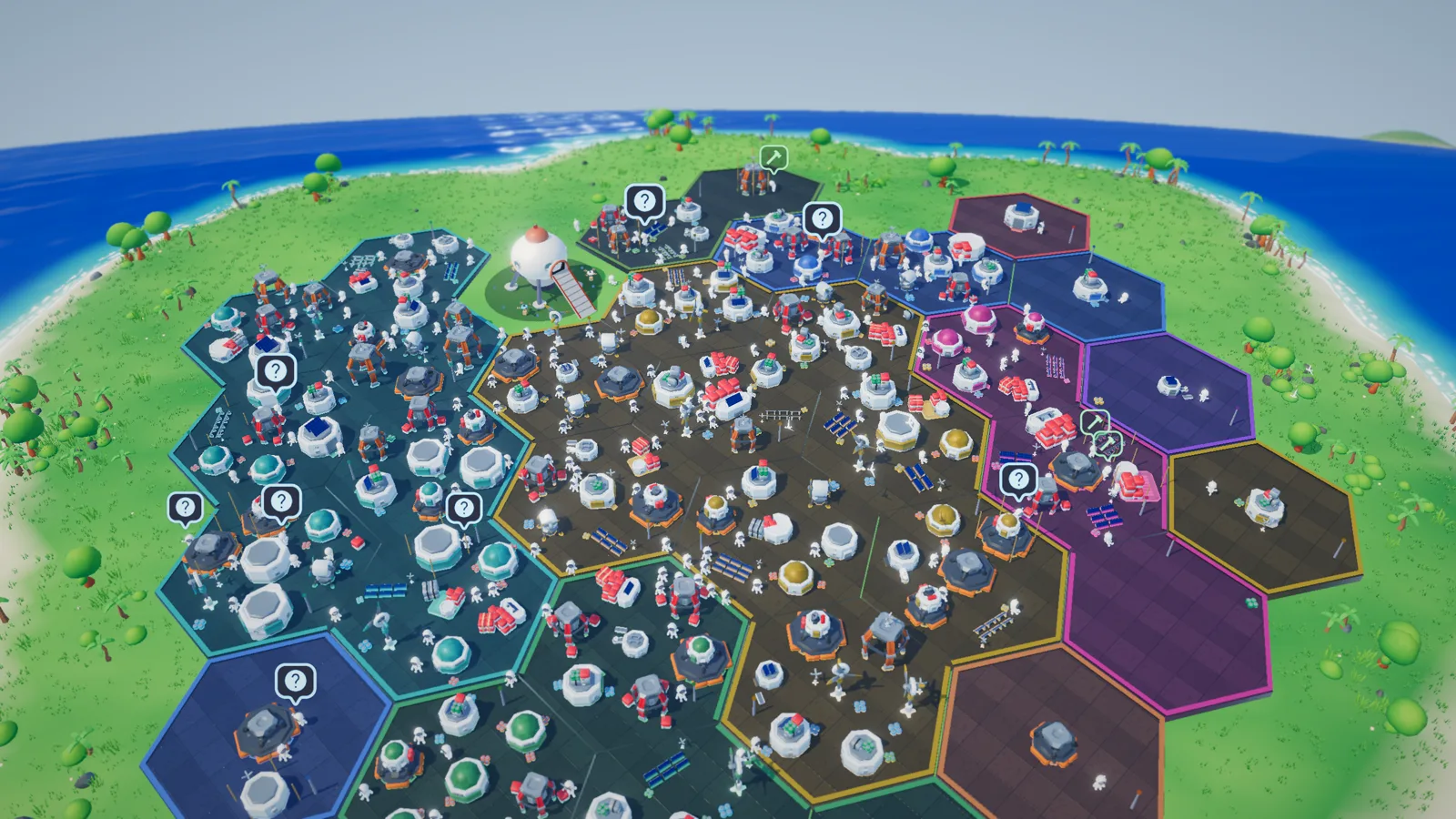
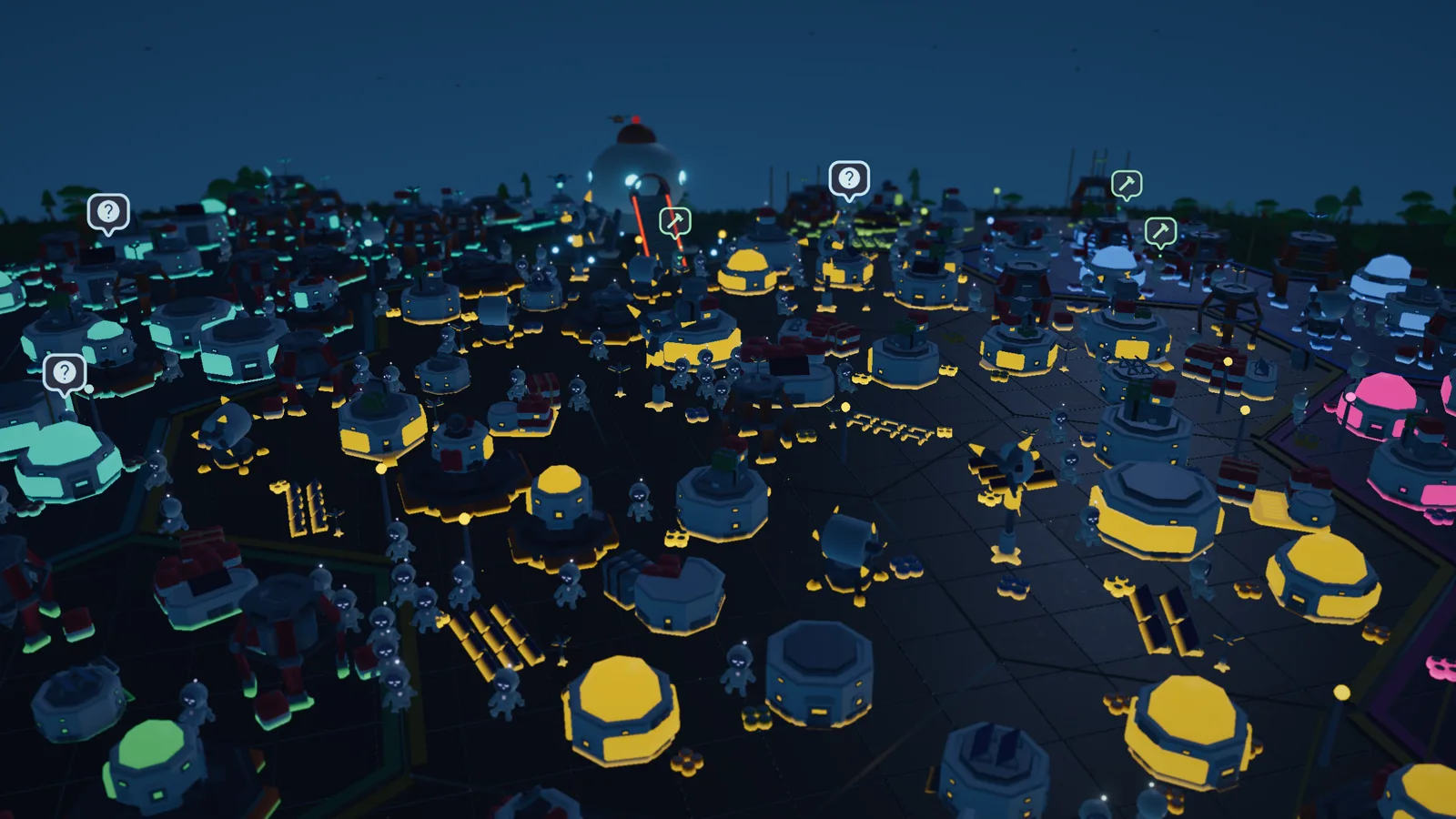
A real 3D world you can fly around. Drag, tilt and zoom from orbit down to a single plot, across twelve worlds that each keep their own day and night cycle.
Real productivity
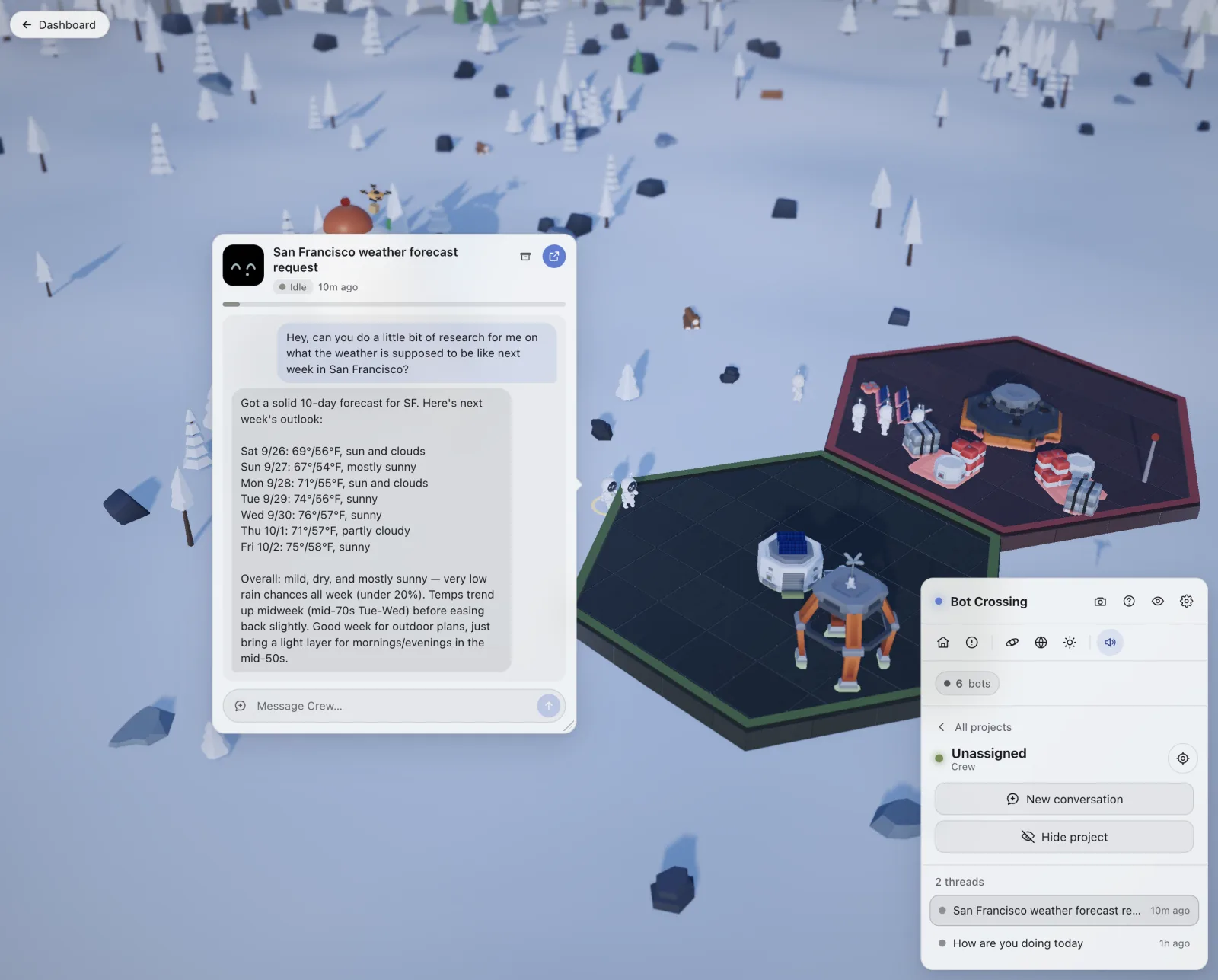
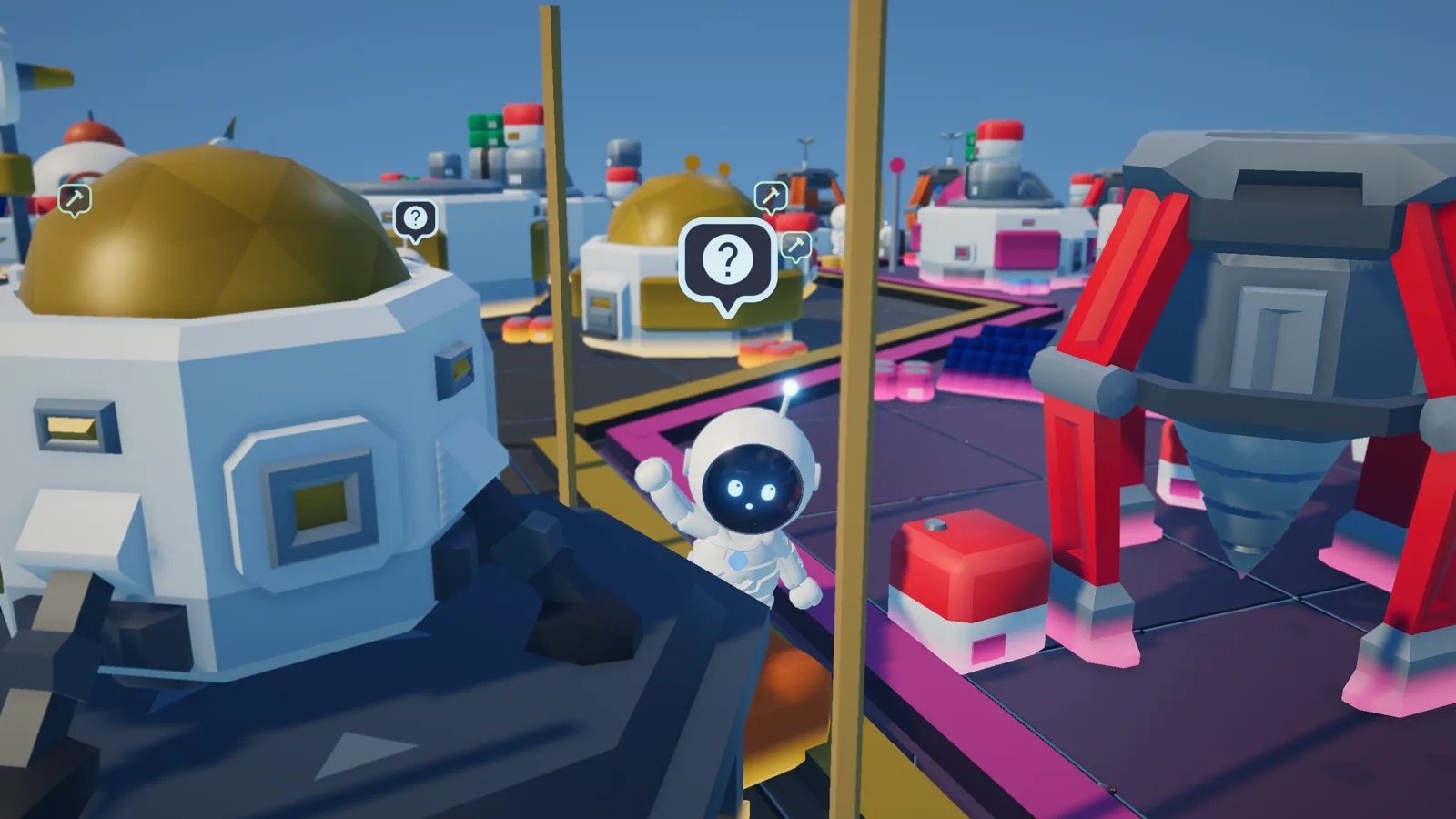
Welcome to the future. Bot Crossing is a sim game where every bot is doing real work you've assigned. When one needs a decision, it raises a question mark over its head.
Work is play
It doesn't matter if it's a creative project, a technical one or just a stack of paperwork. Bot Crossing turns every project into something new and fun to watch.
Talk to any bot, right in your world
Click a bot to open its chat and ask for whatever you need. It does the work and answers right there, and every project keeps a list of its conversations so you can pick any of them back up.
See it in action
Want to learn more about Bot Crossing? Here's a walkthrough from a few months back (recorded early in development).
How Bot Crossing works
Emra is your team of secure, 24/7 AI agents that work right alongside you. Spin up as many bots as you need and put them to work across all of your tasks. Inside Bot Crossing, those bots take on a life of their own, and you can watch them work across every project you create.
- 01
Create your bots
Spin up a bot for anything you need, from research and writing to plans and code. Each one runs around the clock on its own computer in the cloud.
- 02
Delegate work
Message a bot the way you'd message a teammate. It keeps going after you close the tab, and you can pick the chat back up from any device.
- 03
Watch your world grow
Every project becomes a plot on the map, and every task is a bot working in your world. Rearrange the plots to find the layout that works best for you and your bots.
- 04
Maintain your bot civilization
When a bot needs a decision, a question mark appears over its head and it starts waving to catch your attention. Answer with a quick message right in the game, or open the chat in your Emra workspace.
Want to know more about how Emra works? Learn more about Emra
What your agents can actually do
Bots of your own, working on real things, not a demo that writes you a paragraph and stops.
A computer you share with your bots
Each bot works on a real computer in the cloud that it shares with you. Its files, notes and work in progress stay put between conversations, so it picks up right where it left off.
Message it like a teammate
Chat with a bot right in the game or in your Emra workspace. There's nothing new to learn, just tell it what you want done.
Connects to your tools and builds new ones
GitHub, Notion, Google Drive and PostHog connect out of the box. When a job needs a tool that doesn't exist yet, your bot can build it as an app your whole team can open.
Keeps working on its own schedule
Give a bot a routine and it handles its standing jobs without being asked, like a Monday report or a daily check on open orders.
You stay in control
A bot only reaches the connections and apps you grant it. Every turn and tool call it makes is recorded, so you can see exactly what it did and why.
Bots can chat with each other
Every bot has an inbox. One can pass a job to another, and because each bot signs in with its own permissions, the work moves through several hands without you relaying it.
Features
A realtime 3D world you can work in all day.
Twelve worlds
Build on Luna, Mars, Terra, Shoreline, Archipelago, Canopy, Dune, Frost, Harvest, Blossom, Cinder or Aerie. Each one has its own weather, wildlife and sounds, and a full day and night cycle.
Persistent layout
Your projects stay exactly where you put them, so you build real muscle memory for the place. After a few days you stop reading labels and just look at the corner of the map where that project lives.
Google Earth navigation
You drag, rotate, tilt, and zoom the way you would in Google Earth. It anchors to whatever you're pointing at, so you can drop all the way from orbit onto a single plot and still know where you are.
Performance
A full world of 66 bots and 66 buildings draws in about 105 calls, so it stays smooth even when a lot is going on at once.
Adaptive quality
It keeps an eye on its own frame time and scales the resolution to match, so it still runs properly on a modest machine.
In-game chat
Click a bot to chat with it right in the game, or open the same conversation in your Emra workspace.
Private by default
Your bots and their chats live in a workspace that belongs to you, isolated from every other customer.
Open source
The game is MIT licensed and on GitHub, so you can read the code or run it yourself. The art is three CC0 packs from Kay Lousberg, plus Material Design Icons under Apache-2.0.
Bring Bot Crossing to your company
One shared world for the whole team. Agents that belong to the company rather than to one laptop, reaching the tools you already use like GitHub, Notion and Google Drive, and handing work to each other. Everyone sees the same world, so what is in flight is obvious without anyone writing a status update.
- Named agents your team shares, each with its own role
- Single sign-on, roles, and an audit log of who did what
- Usage and spend per person, in one place
Already using a coding agent?
Bot Crossing is also open source. The free version on GitHub runs on your own machine and turns the sessions from the coding agents you already use into bots. It reads their files and never writes back to them, and there's no account and nothing uploaded.
View on GitHubSupported coding agents
Seven work today. Adding another is an adapter file in server/harnesses/ and a line in its registry, so pull requests are welcome.
| Harness | Status |
|---|---|
| Claude Code (Anthropic)Desktop app and CLI, including worktrees and live processes | Supported |
| Codex (OpenAI)Desktop, VS Code and CLI sessions | Supported |
| Cursor (Anysphere)Agent transcripts | Supported |
| OpenCodeTop-level sessions from its own store | Supported |
| Antigravity CLI (Google)Transcripts, opened through its own links | Supported |
| HermesSessions per pilot profile | Supported |
| Kilo CodeTop-level sessions, opened as the repo folder in VS Code | Supported |
| Amp, Aider, Goose, Qwen Code, Amazon Q Developer CLI | Not yet |
Run it yourself
Clone the repo and one command brings up the whole thing. It binds to 127.0.0.1 and checks the Host and Origin on every request, so no other page you have open can drive it.
git clone https://github.com/Station-Sciences/bot-crossing
cd bot-crossing
npm install && npm run dev
Needs Node 22.13 or newer, and runs on macOS, Linux and Windows. Clicking a bot opens its thread straight in that agent's own app, or in a terminal running its CLI when there's no app to open.
Frequently asked questions
Bot Crossing
Is Bot Crossing actually a game?
I think so, yes. But the definition of a game is a bit like the definition of art. In many ways, Bot Crossing is a way of turning legitimate productivity work into something entertaining and delightful. I love my work, and want to love the tools I use to do my work.
Do my bots keep working when I close my laptop?
Yes. They run around the clock on secure computers we operate, so something you set going in the morning is still moving in the afternoon.
Who is it for?
Anyone with more work in flight than one person can keep up with, and teams. A team gets named bots everyone shares, single sign-on, roles, an audit log of who did what, and usage and spend per person.
How do I get it for my team?
Tell us what you're running and we'll set it up with you. Talk to us.
The open source version
Is there a free version?
Yes. Bot Crossing is open source and free to run on your own computer, under an MIT license. It shows the coding agents already on your machine rather than bots of your own, and it stops when your computer does.
Which coding agents work with it?
Claude Code, Codex, Cursor, OpenCode, Antigravity, Hermes, and Kilo Code today. Amp, Aider, Goose, Qwen Code, and Amazon Q Developer CLI aren't wired up yet, but adding one is an adapter file in server/harnesses/ and a registry line, so it's a small pull request if you want to.
Does it touch my agent's own files?
Only to read them. It never writes to a harness, not a transcript and not a flag. The one file Bot Crossing writes anywhere is its own map, so archiving a thread is recorded there and nowhere else.
Where's the code?
On GitHub. Issues and harness adapters welcome.